

Farm and garden
For the gate, the trough, and the familiar walk.
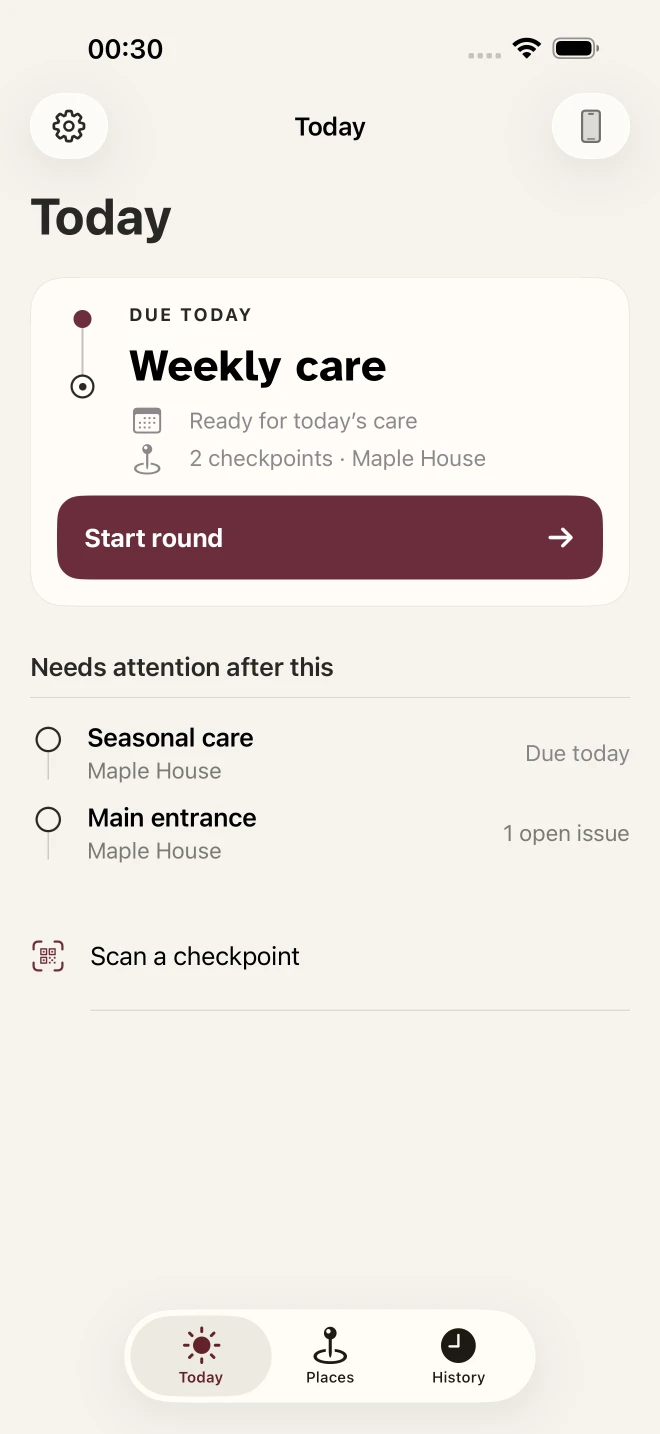
Keep track of recurring checks, finish your rounds, and remember what you did. For iPhone.
Free for five checkpoints and one round.
For the gate, the trough, and the familiar walk.

For the things along the way, even offline.

For knowing what happened on your last visit.
See what needs attention. Leave a record for next time.
Open with a scan. Optional QR labels open the right checkpoint.
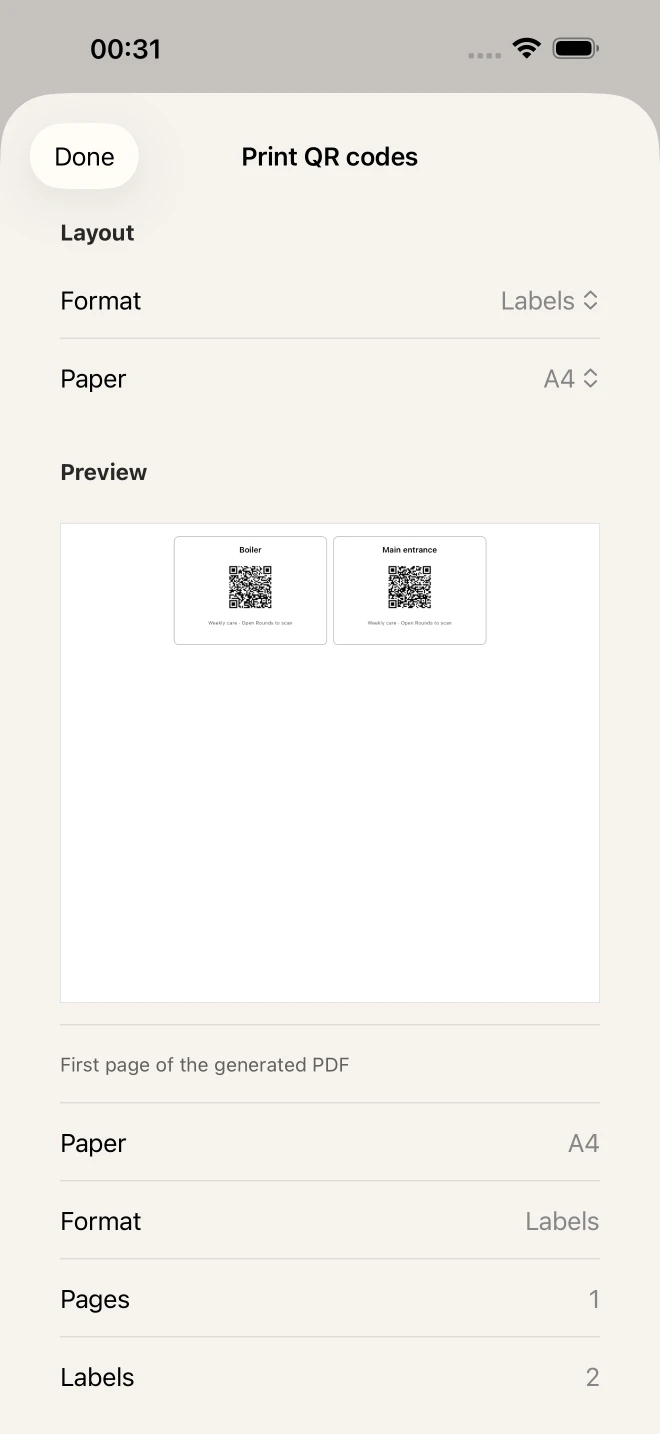
Print an optional QR label. Scan it in Rounds to open the right checkpoint. Its history stays attached when you replace the label.
Keep going offline. Core checks save on your iPhone without a connection.
Remember the work. Checks, issues, repairs, notes, and photos stay in the checkpoint history.
See what needs attention. The read-only Today widget opens Rounds for the next action.
Make room for more. Keep unlimited checkpoints and rounds. Give each round its own schedule. PRO
Print for the way you work. Choose QR cards or full-page codes for your checkpoints. PRO
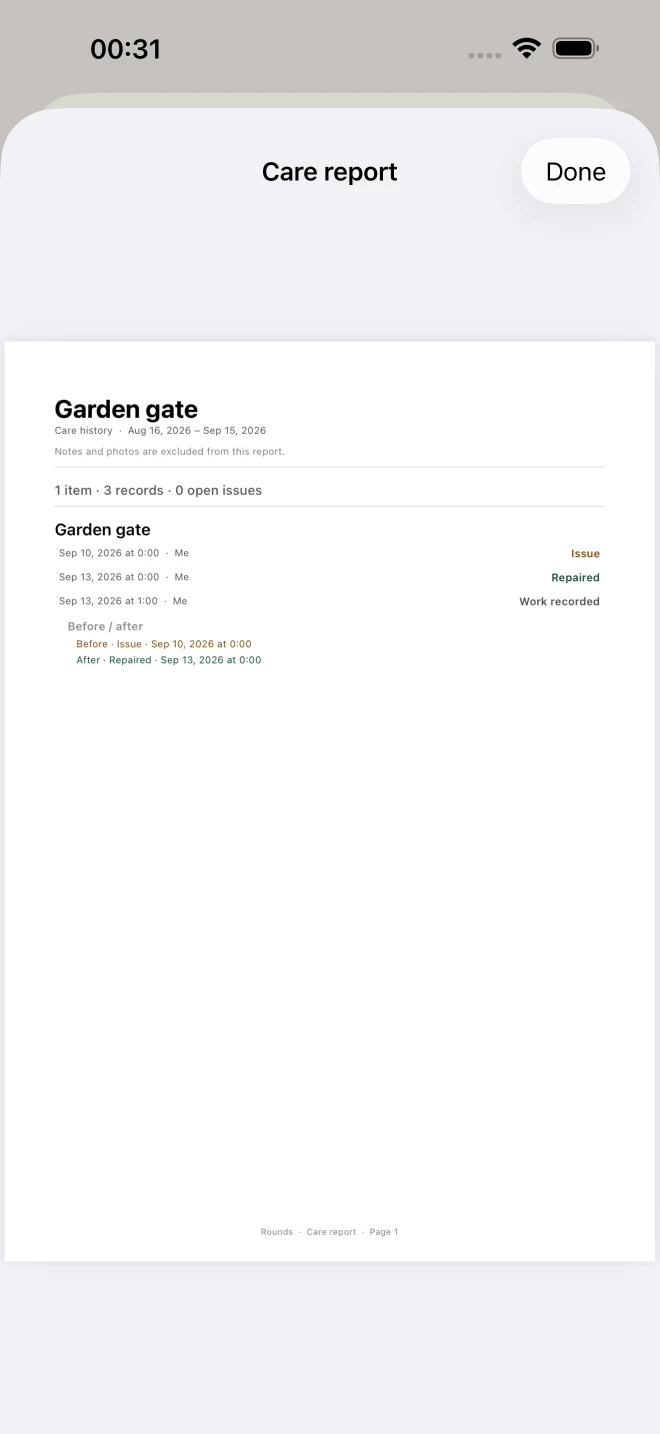
Take a report with you. Export PDF care reports for a chosen date range. PRO
Choose a date range and include the notes and photos you need.
Five checkpoints. One round. Everything you need to begin.
$0
Five checkpoints. Start with one place, or without a place.
One round. Add its schedule and personal reminder.
Full care history. Keep checks, issues, repairs, work, notes, and photos.
Standard QR labels. Print and scan to open the right checkpoint.
Widget and iCloud sync. See Today at a glance and keep your data in private iCloud.
More room.
$1.99/month
$19.99once, lifetime
Unlimited checkpoints and rounds. Make room for more while Pro is active. PRO
PDF care reports. Choose a date range and include notes and photos. PRO
Premium QR printing. Print cards or full-page codes. PRO
US reference prices. Eligible new subscribers pay $0.99 for the first month, then $1.99/month. Apple shows eligibility, the current local price, and terms before purchase. Monthly renews until canceled; lifetime does not renew. If Pro ends, your existing data and complete history remain readable. Purchase details.
Rounds is now available on the App Store. Start for free.

For iPhone